
At the crossroads of art and technology — wonder and worry
Story Quest was created from my deep love of storytelling and the picture books that fascinated me as a young child. I always wished I could draw well enough to replicate the vibrant colors, textures, characters, and scenes that captured my imagination so powerfully. Many years later I eagerly learned Photoshop and other digital tools to create children’s book illustrations from photographs. As I began work on a tenth book, AI image-generation technology came along with its revolutionary approach to creating art.
.png)
Photograph of an old house transformed to picture book art with Photoshop.
AI amazed me the first time I watched it transform my simple text instruction into a dynamic, coherent image in minutes. Its speed far exceeds Photoshop’s slow, repetitive, deliberate process of layer-based illustration-building. I’m in awe of AI’s expansive artistic capabilities and easy-to-learn tools for creating high-quality storytelling art. I’ve come to rely on AI’s time-saving technical efficiency, which frees up hours for more creative illustration work.
At the same time, I’m conflicted by AI’s current drawbacks and limitations — copyright concerns, the production of superficial content, environmental cost, misuse for deception, and growing discomfort from the general public and traditional artists that AI will replace human art. Is AI inherently harmful, or is it how humans use it that invites skepticism and fear?
I wonder and worry about AI. Is it art? Is it fundamentally a passive recipient of our prompts — a lightning fast, mechanistic tool that turns patterns of data into coherent visual imagery? Is data-driven art fake because it’s fundamentally synthetic? I understand arguments that AI by its nature lacks human conscience and feeling and therefore cannot produce art with emotional depth. But AI is activated by human input and every image produced reflects the feelings of its author.
AI-generated illustrations are more than a finished image. They embody the prompter’s lived experience, struggle, intuition, imagination, memory, and choice — the ingredients of human art.
~ Jo Ann Kairys, Story Quest Books 2026
How negative perceptions about AI versus human art change over time is unclear. For now, I’m attentive to its criticisms while committed to using it responsibly and thoughtfully. I understand why you may hesitate to consider AI for your self-published children’s book, or you find new technology challenging, worry about AI image-generated quality, or you simply want an unbiased comparison with traditional illustration methods, I hope this article offers practical ideas, helpful insights, and clarifying perspective.
To that end, this guide explains how AI children's book illustration works, how I use some of the best AI tools available today, and how authors can use them to turn their stories into enduring children’s literature.
In This Guide
- How AI Is Transforming Children's Book Illustration
- Advantages of AI Illustration for Authors
- Best AI Tools for Children's Book Illustration
Step-by-Step Workflow for AI Illustration - Creating Consistent Characters with AI
- AI Prompt Examples for Children's Book Scenes
- AI vs Traditional Illustration
- The Future of AI in Children's Book Publishing
- Frequently Asked Questions
How AI Is Transforming Children's Book Illustration
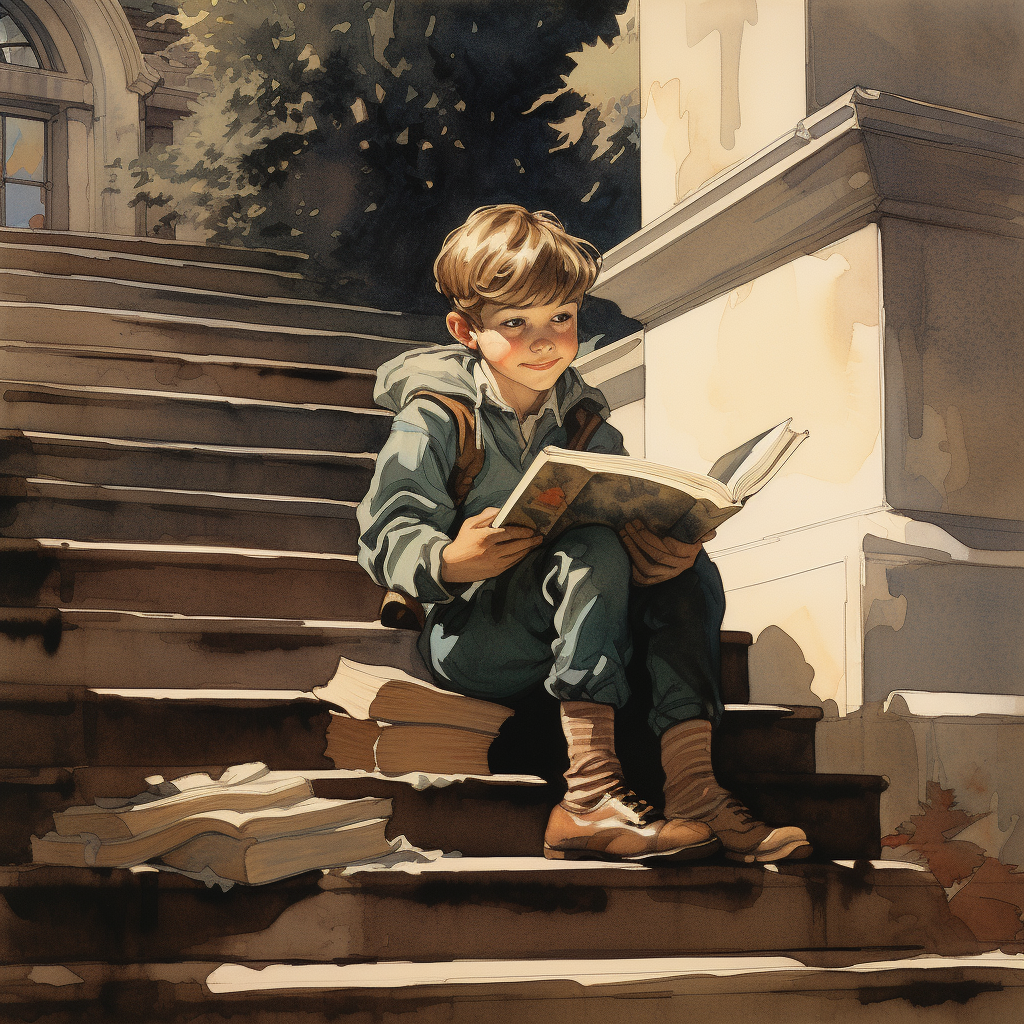
AI’s rapid evolution and ongoing technical advances have opened significant new opportunities and creative possibilities for both experienced illustrators and first‑time authors entering the children’s publishing world.
Traditional children's book illustration has always required a combination of artistic skill, time, and financial investment. Children’s book authors typically had three choices:
• hire a professional illustrator
• learn complex digital art tools such as Photoshop
• draw and paint illustrations themselves
Each option can be both rewarding and challenging. Professional illustration is expensive, and mastering digital art software often requires intensive training and years of practice.
AI tools dramatically reduce the time and cost involved in creating and editing illustrations. By using simple text prompts, authors can generate multiple versions of scenes and story characters for review and comparison in minutes.
The ability to rapidly experiment with visual ideas and concepts allows authors to focus more on storytelling and less on the technical side of illustration.
Advantages of AI Illustration for Children's Book Authors
AI illustration is especially appealing to self-publishing children’s book authors who value direct involvement in content creation. The hands-on ability to explore and try different image styles easily is a clear advantage over traditional canvas and digital art systems that involve time-consuming, step-by-step image-building.
Affordability
Hiring a professional illustrator can cost thousands of dollars, making AI illustration tools a viable, budget-friendly, workflow alternative for creating professional-quality artwork. If your creative process depends on careful, iterative refinements, Adobe Photoshop is an excellent digital art program, but has a steep learning curve. If you want to generate many ideas, test styles quickly, and build scenes with speed, AI may be a better option. Since the introduction of AI, I almost always work with Photoshop and AI. Photoshop added Firefly, its own built-in AI tool, so you can generate and refine images without leaving the Photoshop workspace.
Pricing Snapshot: AI illustration costs versus traditional and digital art. Visit each AI platform’s website for current rates, as prices change frequently.
Price range comparison at a glance: All AI tools offer entry-level plans ranging from roughly $10 to $30 per month, with more options available as output volume and feature needs grow. Photoshop offers a flat subscription rate of $22.99 monthly. AI tools often start lower but can cost more as usage scales. For many children’s book authors, the ideal creative workflow is a hybrid: use of an AI tool to generate and refine images quickly, then use of Photoshop for additional refinement. Since AI tools advance rapidly, its many new features and enhancements make it possible to create professional-level artwork independent of Photoshop.
Comparison of AI illustration to traditional and digital art image-generation systems:

Faster Creative Workflows
AI is known for speed and efficiency, a unique advantage I appreciate every time I use AI’s illustration tools. For me, the ease of using AI’s iterative process makes it extremely beneficial and efficient. Because AI handles technical image-building steps and produces multiple scene and character variations in minutes, more time is free to focus on aesthetics that best support an author’s particular vision and story concepts.
Flexible Artistic Styles
AI illustration tools allow authors to explore many different visual styles, including watercolor, oil-paint storybook art, colored pencil illustrations, whimsical cartoons, and semi-realistic digital art. With ever-increasing sophistication, these tools also produce images with brilliant clarity, precision, texture, and drama or dreamlike quality if indicated in the author’s image prompt.
Built-In Color Intelligence
AI systems are trained on large collections of visual art and photography, enabling them to generate harmonious color palettes and lighting that enhance storytelling and visual impact. This is especially important for children's book where color plays a critical role in capturing and maintaining young readers’ attention.
Additional Thoughts on AI vs. Digital Art Programs vs. Photoshop:
The Price of Creativity
For years, Photoshop has been a trusted workhorse of digital art: precise, powerful, and dependable. But AI image-generation technology, along with Photoshop-like, digital art software programs, now available at a lower or even free entry cost, have reshaped the world of children’s book illustration. Artistic style options and dramatically faster image creation at lower starting cost are fueling the technology's rapid growth
But Photoshop remains a strong choice for children’s book authors, illustrators and content creators who value hands-on control and are able to master Photoshop’s technical requirements over time. Its subscription pricing is straightforward, and its precision makes it ideal for retouching, compositing, file cleanup, and final production polish. What it does not do, however, is generate fully formed illustrations in seconds. That difference matters. For those who want to explore characters, moods, lighting, and scene concepts rapidly, AI platforms produce far more creative output quickly.
I go deeper into what that traditional, hands-on process actually looks like — and what a decade of doing it by hand taught me — [a closer look at illustrating a children's book by hand].
Midjourney offers one of the lowest monthly starting prices among the major platforms discussed here, making it appealing to those who want beautiful images fast. Freepik positions itself as a broader creative ecosystem, blending AI generation with editing tools, including character modeling, and a substantial premium asset library of stock images, design elements, music, and videos.
In today’s illustration world, the question for children’s book authors and illustrators is no longer whether AI is cheaper than traditional digital art software. The better question is this: which tool gives you the most finished beauty and quality, the fastest, for the kind of book you want to create?
Personal Picks: Best AI Tools for Children's Book Illustration
As an early adopter of AI tools, I’ve followed and used every new AI technological and creative innovation since the beginning. I experimented with AI’s emerging image generation capabilities when illustrating my first AI-inspired, award-winning children's book in 2025. I tried many different AI tools, but eventually pared down to several that produced the most artistically and technically consistent images for the new book. At that time, when I especially needed reliable character consistency tools to replicate likenesses of the author’s family, the technology was lagging. But in combination, these four programs proved the most effective:
In practice, I rarely use just one of these tools. Each has its own strengths — the first three excel at accuracy and editing options, all shine on style and composition. They each contributed to the challenging task of rendering consistent human characters:
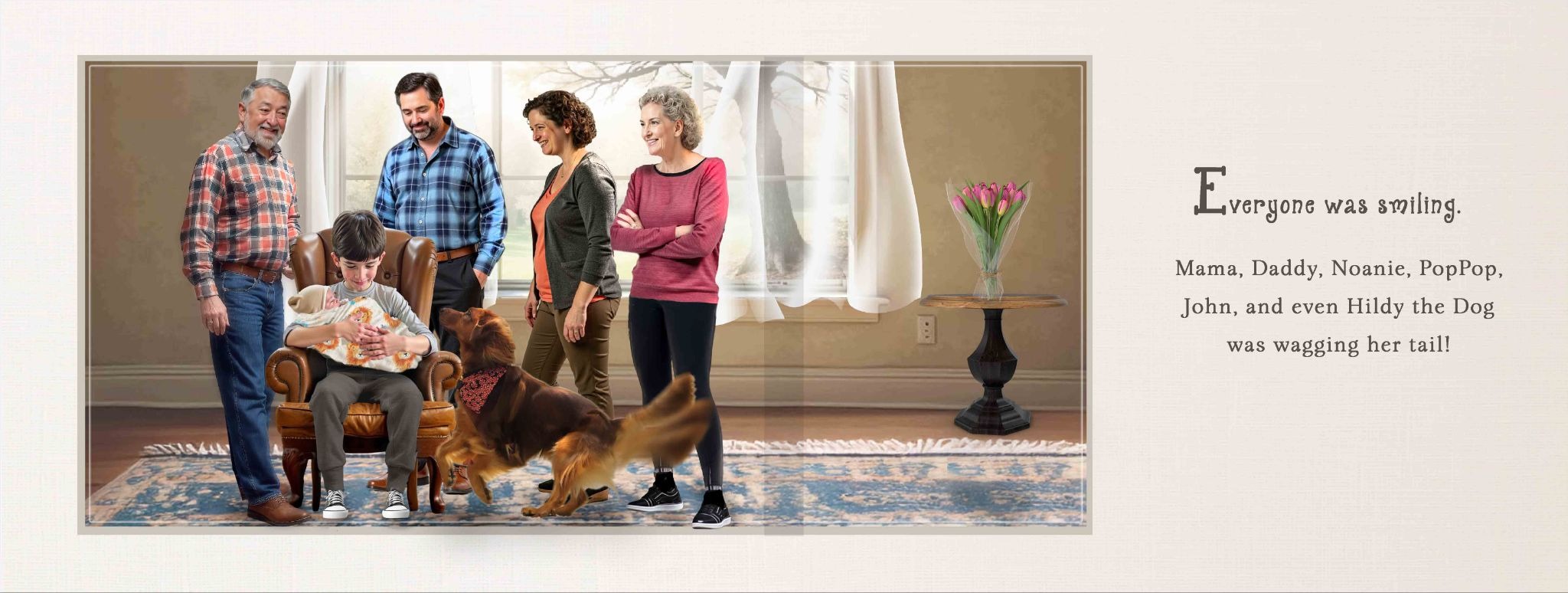
Here's a breakdown of how they compare, with fuller detail and examples later in this Guide:
Midjourney
Midjourney is great for illustrations with soft cinematic lighting and rich painterly textures and color palettes, although with clever prompting, highly detailed effects can be achieved. Its ability to convey mood, atmosphere, and stylistic consistency across multiple prompts makes it especially powerful for children’s picture books with a whimsical, timeless, or heirloom-quality. Though Midjourney produces some of the most visually striking illustrations, character consistency does require experience and careful prompting. Midjourney is now included in OpenArt as a featured image-generation model, so you don’t need to exit OpenArt to utilize it.
Freepik AI /Magnific
I’ve used the Freepik -- now Magnific -- image library for over a decade, and when AI image-generation was added a few years ago, I jumped right in. Its AI tools are numerous and constantly improving for creating new images and videos from text or existing images. Its design environment encourages trial and error for refining and enhancing characters and scenes, and its ever-increasing number of design and artistic choices are especially useful for anyone working with multiple visual styles. One of its most recent innovations is Spaces, a story building process that converts images into scenes and videos. I thoroughly appreciate the ability to generate more precise, detailed text prompts with AI-guided options. It’s great not just for beginners. I rely on this feature heavily for more accurate image results.
OpenArt
OpenArt provides specific design applications for story-building, image and video production, character training, and native audio effects, such as lip-syncing and voice cloning, which don’t require additional subscriptions to third party programs. Similar to Magnific, it includes access to multiple AI models that enable authors to experiment with different illustration approaches and refine the artistic direction of their books. OpenArt excels at character training and refining and upscaling facial expressions with precision. It also provides the technical ability to move from storyboard creation to video output.
Adobe Firefly
Adobe Firefly integrates AI image generation with Adobe’s creative ecosystem, making it a natural choice for authors already using tools such as Photoshop or Adobe Express. While working in Photoshop, I was able to edit elements of an image as needed, with built-in, time-saving AI-based menu options such as Generative Fill, Content Aware Fill, and Generate Image. Adobe Firefly is now available online, separate but integrated with Photoshop.
Step-by-Step Workflow for AI Children's Book Illustration
These steps cover the AI side of the work. For the full process, from storyboarding and page-turns to print-ready pages, see my guide on how to illustrate a children's book.
Most AI illustration projects follow a simple linear creative process. These are my suggestions for how to get started:
Step 1 — Describe the Scene
Begin by writing a short description of the scene you want to illustrate. Include characters, settings, lighting, and mood.
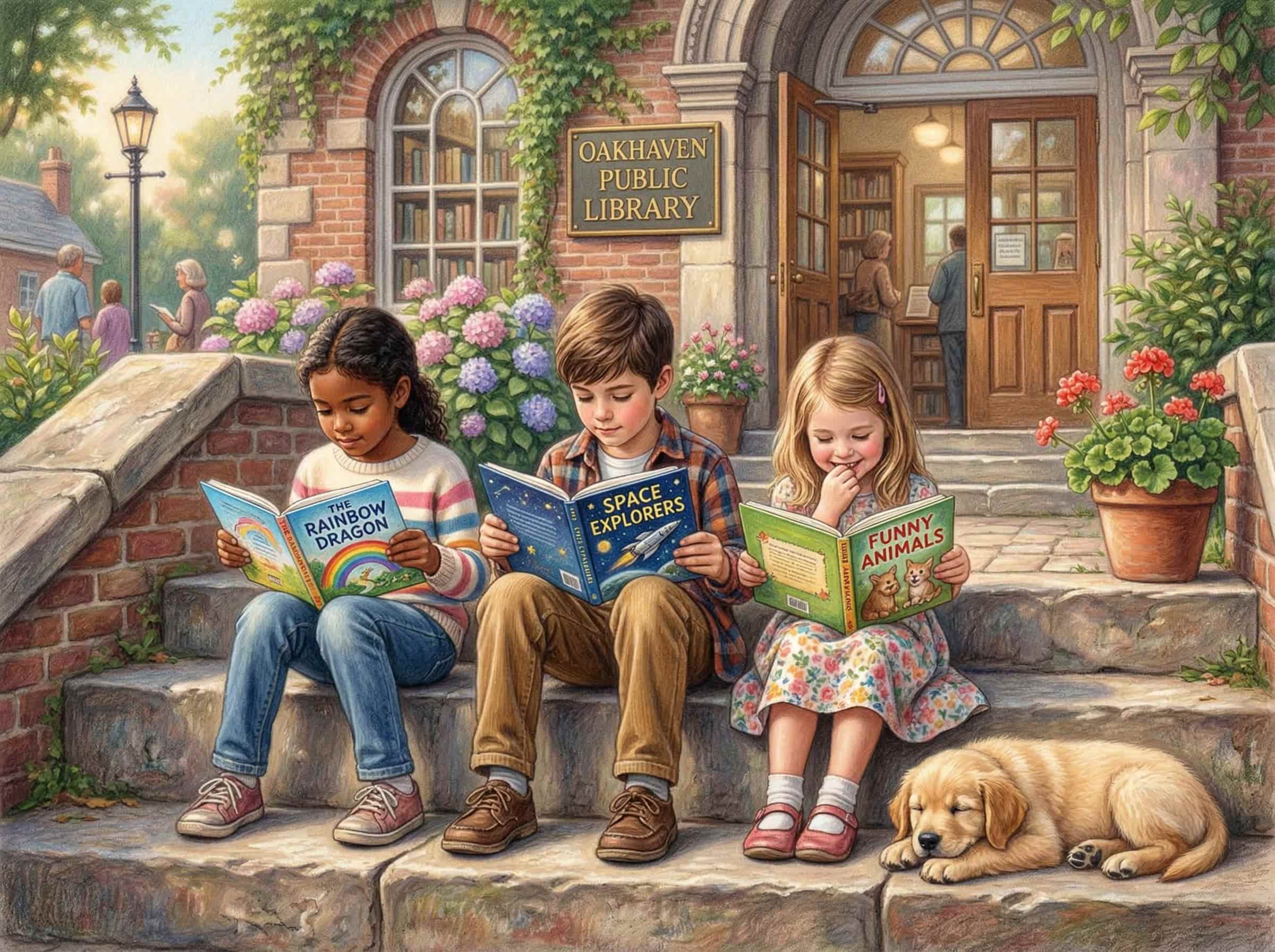
Example: Three children sit on the steps of a library reading books while a golden retriever puppy rests beside them in warm afternoon sunlight.
Step 2 — Convert the Scene into an AI Prompt
Example prompt – the more detailed, the better AI will follow your instructions. This is the one I used to create this article’s header image:
Three human children casually dressed sitting on the wide stone steps of a small town library, each child absorbed in reading picture books, a golden retriever puppy lying contentedly beside them, warm late-afternoon sunlight casting gentle shadows, blooming flowers and leafy planters nearby, soft pastel color palette, photorealistic, ultra-high-resolution, fine color pencil drawing with soft oil paint blending, in the nostalgic, heartwarming style of Norman Rockwell, highly detailed, natural expressions, cozy small-town atmosphere, softly blurred background.
Step 3 — Generate Image Variations
With most AI platforms, you can select the number of image variations you’d like to see, then compare results and select the one that best fits your story. Midjourney and Adobe Firefly models are built in, though you can still specify your desired image style, color theme, and other image attributes. OpenArt and Freepik AI offer numerous image and video models to choose from, including art, anime, photorealistic, and cartoon designs. Keep in mind that infinite variations of each image are possible within minutes or less, allowing users to quickly create and select the best one to convey the vision, intent, and purpose of the story's narrative.
Examples of images created with different AI image-generation tools and models:
- Midjourney has built-in adjustment tools that make image effects easy and quick to apply. Re-prompt, modify, remix, upscale, resize, edit details, and create multiple variations are some of the options presented in a simple, easy-to-use layout panel.

.png)
.png)
- Freepik AI image models produce highly detailed, accurate visuals, especially anatomical features, such as hands, feet, and facial characteristics. Early on, Photoshop played an important part in my workflow, assuring correct output of photorealistic images. These days, image detail is a Freepik AI forte, with built-in access to numerous and ever-increasing, technically advanced models, such as GROK, OpenAI, and Google, that deliver consistent results, even for text.
.png)
.png)
.png)
- OpenArt continually expands image-generation capability and quality with sophisticated application tools, such as Chat to Edit, Swap Face and Body, Train Character, and Fix Fingers.

.webp)
Step 4 — Refine Details
Prompts can be expanded and enhanced to improve character expressions, lighting, composition, and background elements. Magnific's Prompt Enhancer option, for example, optimizes prompt wording to achieve precise, exquisite image detail and impact.
Step 5 — Prepare Illustrations for Self-publishing
Final preparation for printing and publishing requires steps beyond AI’s image-generation capabilities. These generally involve exporting final illustrations to a page-layout and formatting program designed for this purpose. Many authors work directly with experienced graphic designers familiar with how to implement this step and prepare books for print-on-demand. Some also can help prepare your book for sales on Amazon and other sales channels. Many authors choose to work with a book coach for all aspects or selected tasks related to story and image creation, book development, internal layout and cover design, book publishing, and placement on book sales channels.
Creating Consistent Characters with AI
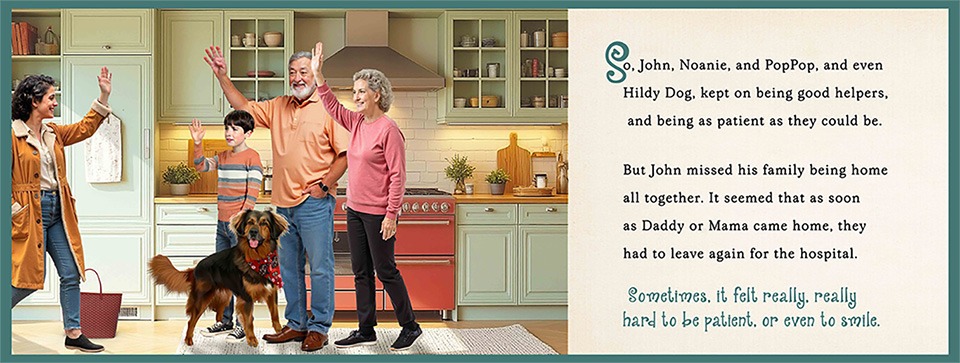
Maintaining consistent characters across multiple scenes can be one of the most frustrating challenges of AI illustration. Fortunately, both Magnific and OpenArt introduced character modeling applications at the same time I began work on my first AI-driven children’s book, which features human adults and children. Achieving consistency of human facial features, expressions, clothing, active poses, and camera angles that change on every story page was essential. The new tools made it possible, though more recent technological advances make the task faster and more reliable.
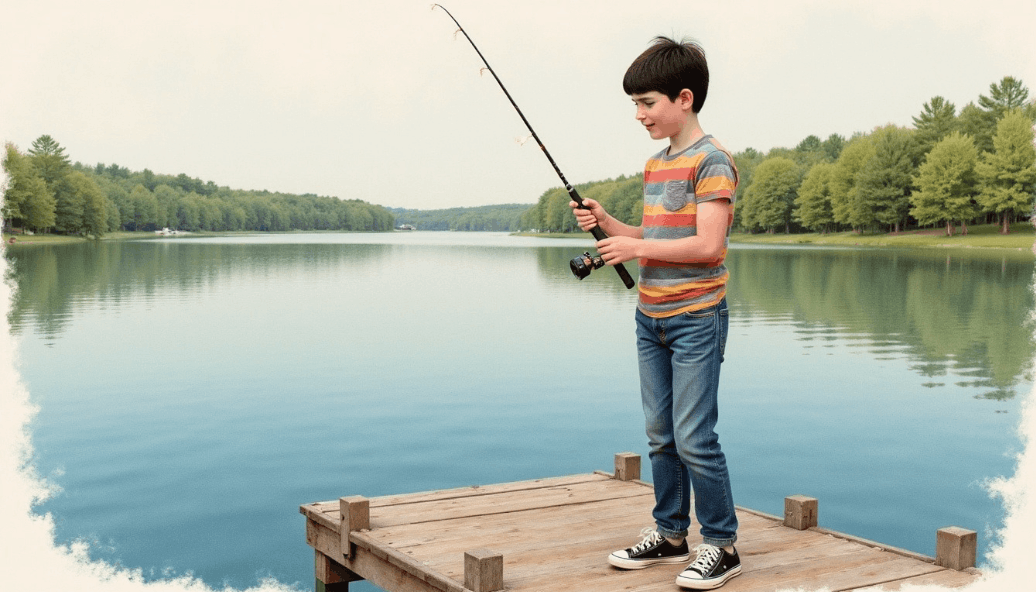
Prompt for boy fishing image:
Create an image of John, a tall 11 year old boy with short black hair, fishing on a boat dock on a lovely lake; he is wearing a colorful short sleeve summer tshirts, long blue denim jeans, and black sneakers with white laces, he is laughing and excited; photorealistic, color pencil drawing with rich detail @john. *Note: @john refers to the character model I had created. It is automatically stored in the character library and can be accessed and modified for every illustration.
You can also improve consistency by carefully repeating character descriptions in prompts, referencing previously generated images, and maintaining consistent visual details such as clothing, hairstyles, and color palettes.
Some AI platforms also provide style-locking or reference-image features that help maintain character identity across different illustrations.
AI Prompt Examples for Children's Book Scenes
Here are several examples of prompts to try:
- Watercolor children's book illustration of two children building a sandcastle on a sunny beach, golden retriever puppy playing nearby, soft pastel colors.
- Soft oil-paint storybook illustration of a young girl reading beneath a large tree surrounded by butterflies and wildflowers.
- Colored pencil children's book illustration of a boy fishing at a quiet mountain lake during sunset.
- Whimsical storybook illustration of three friends sledding down a snowy hill with bright winter skies.
The Future of AI in Children's Book Publishing
AI image technology is still evolving — and quickly becoming one of the most valuable tools in a creative workflow.
Rather than replacing human creativity, AI widens what's possible for storytellers. Authors can experiment freely, visualize scenes in minutes, and bring imaginative worlds to life in ways that were once out of reach — or beyond budget.
For writers dreaming of a visually rich picture book, this is the opportunity: storytelling, technology, and artistic exploration — finally in one place.
Frequently Asked Questions
- Can AI illustrate an entire children's book?
Yes. AI image-generation tools allow authors to create characters, environments, and story scenes quickly, making it possible to illustrate an entire picture book.
- Do you need drawing skills to illustrate with AI?
No. Most AI tools rely on text prompts rather than drawing ability, making illustration accessible to authors without formal art training.
- What AI tools are best for children's book illustrations?
Popular tools include Midjourney, Magnific (formerly Freepik AI), OpenArt, and Adobe Firefly, each offering unique styles and features for visual storytelling.
- Can AI illustrations be used in self-published books?
Yes. Many authors use AI-generated illustrations in self-published books, although some publishing platforms require disclosure.
Ready to start your AI children's book illustration journey? Have questions? Need some advice or encouragement getting started? Book a free coaching call — I'm here to help.